Virtual Tours · 8 min read
How to Create a Resort Virtual Tour: A Complete Guide from Concept to Implementation
Step-by-step guide to creating a resort virtual tour in Indonesia—covering workflow, timeline, booking integration, and UX best practices for hotels.
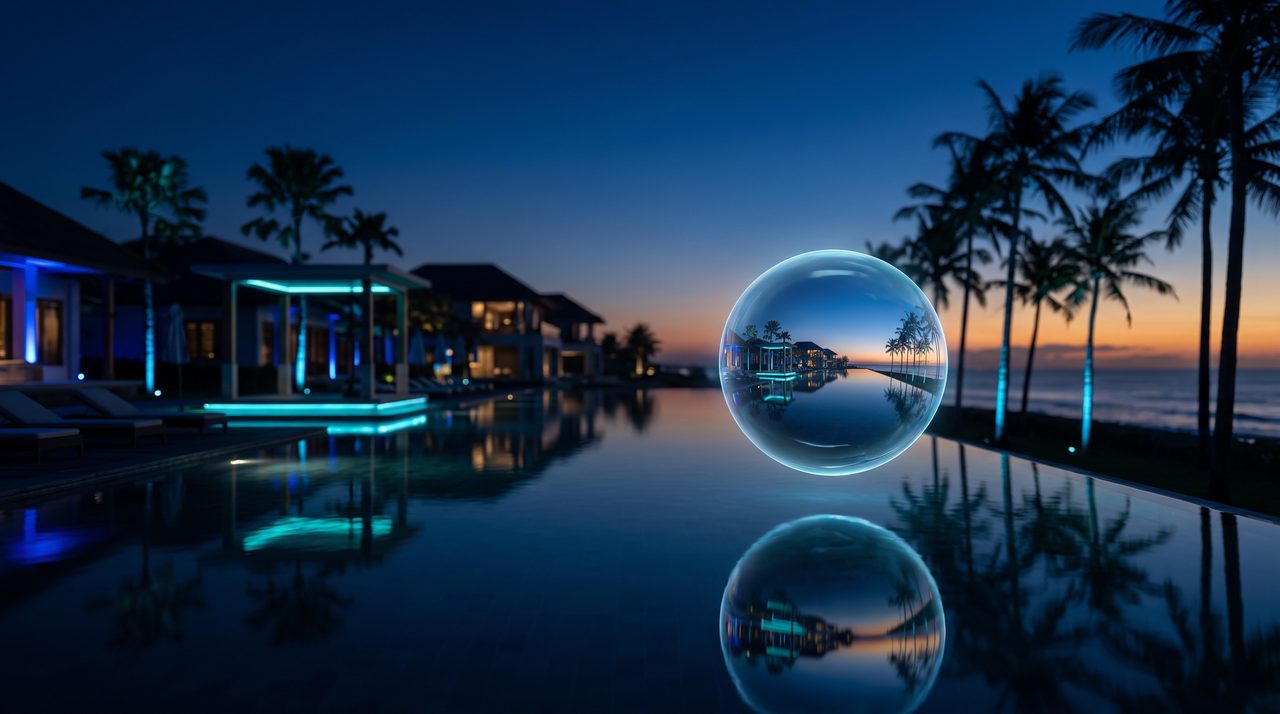
A resort virtual tour is one of the highest-return investments a hospitality property can make in its digital marketing stack. Research consistently shows that travellers who engage with interactive 360-degree content spend more time on a property website, bounce less frequently, and book with greater confidence than those who rely on static photography alone. For Indonesian resorts competing in a market that ranges from budget guesthouses in Lombok to ultra-luxury villas in Bali and Raja Ampat, a well-executed virtual tour is a credibility signal that converts browsers into bookers.
This guide covers the complete process: from pre-production planning and on-site capture through to post-production, quality assurance, website embedding, and ongoing performance optimisation. Whether you are a resort marketing manager, a project owner commissioning an agency, or an in-house creative team building the tour yourselves, this workflow gives you everything you need to succeed.
Why Indonesian Resorts Need a Virtual Tour
The Indonesian tourism market is intensely competitive. Overseas visitors choosing between a resort in Nusa Dua and one in Seminyak often make their final decision based on how well they can “feel” a property before arriving. A virtual tour provides that emotional pre-arrival experience in a way that no gallery of hero shots can replicate.
- Increased Booking Confidence. When prospective guests can walk through a Superior Room, step out onto the beach terrace, and peek into the spa treatment room before they book, they arrive with calibrated expectations—leading to better reviews and lower refund requests.
- Higher Engagement and Longer Dwell Time. Interactive 360-degree tours hold visitors on your website significantly longer than static image galleries, sending positive engagement signals to search engines and increasing the likelihood of a direct booking before the visitor defects to an OTA.
- MICE, Wedding, and Corporate Lead Generation. Event planners and wedding coordinators selecting a venue for a conference or celebration rarely visit in person during the shortlisting phase. A detailed virtual tour of ballrooms, function lawns, and meeting rooms can get your property onto a planner’s shortlist without requiring a site visit.
- Google Street View Visibility. Uploading panoramas of your lobby and public areas to Google Street View improves your local search presence on Google Maps—a discovery channel that drives significant walk-in and research traffic for Indonesian properties.
Defining Scope and Deliverables Before You Start
Scope creep is the enemy of every virtual tour project. Before a single camera leaves its case, define precisely what will and will not be included in this engagement.
A typical scope for an Indonesian resort of 80–150 rooms might include:
- All room categories (at least one representative unit per category: Superior, Deluxe, Pool Access, Suite, Villa).
- Key public areas: lobby, restaurant, pool deck, beach area, spa reception, gym, kids’ club.
- Signature spaces with a strong sales proposition: sunset viewpoint, beach club, overwater bungalow jetty, ballroom.
Standard deliverables to agree in writing with your vendor:
- High-resolution 360-degree panoramas (JPG master files) for every capture point.
- A web-published virtual tour with hotspot navigation, info panels, and CTA overlays.
- An interactive floor plan or dollhouse view for guest orientation.
- Optional: audio narration, ambient sound, drone aerial panoramas, and 3D room models.
The End-to-End Production Workflow
Successful resort virtual tours follow a disciplined six-phase workflow. Skipping phases—particularly discovery and QA—is where projects fail.
Phase 1 — Discovery and Pre-Production
Begin with a structured briefing session involving the resort’s marketing, reservations, and operations teams. Define the primary objective of the tour (direct booking conversion, MICE lead generation, brand experience) and the target audience (leisure FIT, families, corporate, wedding planners). From these decisions, build a detailed shot list: every room type, every public area, every experience space—mapped to a floor plan with numbered capture points. Obtain stakeholder sign-off on the shot list before scheduling the shoot date.
Also handle logistics at this stage: coordinate with housekeeping to ensure all rooms are dressed and immaculate on shoot day; confirm with F&B that restaurant and pool areas will be staged; arrange any necessary permits for drone aerial capture; and collect signed model release forms if staff will appear in the tour.
Phase 2 — Technical Planning
Choose your capture method based on the quality-versus-speed trade-off your budget allows:
- 360-degree camera (Insta360 X4, Ricoh Theta Z1): Fast to shoot, lower per-point cost, slightly lower resolution ceiling. Ideal for properties with 30+ capture points and tight timelines.
- DSLR/mirrorless with panoramic head (Nodal Ninja, Manfrotto): Slower but produces significantly higher-resolution panoramas, ideal for flagship properties where image quality is non-negotiable.
- LiDAR scanner or photogrammetry (Matterport Pro3): Generates a navigable 3D model with dollhouse view and accurate floor plan. Recommended for villa resorts where architectural detail is a key selling point.
Plan lighting around the sun schedule: shoot exterior areas and pool decks during golden hour (early morning or late afternoon) for warm, flattering light; shoot interiors during overcast periods or use diffuse LED panels to minimise harsh shadows and window blow-out.
Phase 3 — On-Site Capture
Arrive on location early to conduct a final check of room staging and equipment. Use a stable tripod at every capture point—camera shake creates seaming artefacts during stitching that are time-consuming to correct. Shoot HDR brackets (typically 3–5 exposures) for interior spaces to handle the wide dynamic range between window light and room interiors. Maintain consistent white balance across all rooms in the same category to avoid jarring colour shifts as visitors navigate between them.
Log every capture point on the shot list as it is completed. This makes the post-production handoff clean and prevents missed locations from being discovered only after the crew has left the property.
Phase 4 — Post-Production
Post-production for a mid-sized resort virtual tour typically involves:
- Stitching: Assembling the HDR brackets into a single exposure-fused panorama using software such as PTGui or the camera’s native app.
- Nadir removal: Cloning or patching out the tripod and photographer from the bottom of each panorama.
- Colour grading: Matching white balance and exposure across all panoramas within each category group, then applying subtle global tone adjustments to achieve the brand’s desired mood.
- Tour building: Importing the finished panoramas into a platform such as Kuula, Pano2VR, or KRpano; linking capture points via navigational hotspots; adding info panels, video clips, and CTA overlays (“Book This Room” buttons that deep-link to the booking engine with pre-populated room type parameters).
Phase 5 — Quality Assurance
Test the finished tour exhaustively across the full device matrix: iOS Safari, Android Chrome, desktop browsers (Chrome, Safari, Edge, Firefox), and VR headset if applicable. Check that all navigational hotspots work, all info panel text is accurate and spell-checked, all CTA links deep-link correctly to the booking engine, and that the tour loads within three seconds on a 4G mobile connection. Run through the full accessibility checklist: keyboard navigation, hotspot labels, colour contrast on overlay text.
Phase 6 — Implementation and Launch
Embed the tour on a dedicated “Virtual Tour” page on the resort website and on individual room category pages. Use iframe embed for simplicity, or the platform’s JavaScript SDK for tighter integration with your booking flow. Upload lobby and public area panoramas to Google Street View via the Street View Studio tool. Share the tour link in OTA listing descriptions where the platform supports external URL embedding. Prepare short video excerpts of tour highlights for use in Instagram Reels and TikTok content. Run a brief internal soft launch (staff walk-through) before public release to catch any final issues.
Realistic Project Timelines
Plan your project timeline based on the following industry benchmarks:
- Small package (2–5 capture areas, no audio, basic hotspots): 1–2 weeks total.
- Medium package (10–30 capture points, custom UI, CTA integration): 3–6 weeks total.
- Large or immersive package (50+ capture points, 3D scanning, audio narration, VR mode, booking engine integration): 6–12 weeks total.
The biggest variable in timeline is stakeholder availability for approvals. Build approval windows of 48–72 hours per milestone into your project plan from the outset.
Measuring ROI After Launch
A virtual tour is only as valuable as the data you collect from it. Set up GA4 event tracking before launch and monitor these KPIs monthly:
- Interaction rate: what percentage of page visitors engage with the tour (click at least one hotspot).
- Average session duration on the virtual tour page.
- CTR from tour CTA buttons to the booking engine.
- Conversion uplift: compare booking conversion rates on room pages with embedded tours versus those without.
Use heatmaps (Hotjar or Microsoft Clarity) to identify which rooms attract the most exploration and which hotspots are never clicked—this data informs both content optimisation and future sales strategy.
Start Your Resort Virtual Tour Project
InReality Solutions has built virtual tours for hospitality properties across Indonesia, from boutique eco-resorts in Flores to large beach resorts in Bali. Our end-to-end service covers discovery, capture, post-production, booking engine integration, Google Street View upload, and analytics configuration.
Visit our virtual tour services page to see our portfolio and learn more about our process, or get in touch with our team to request a free consultation and project estimate. We typically deliver a detailed scope document and indicative budget within five working days of an initial briefing call.
Frequently Asked Questions
How long does it take to create a resort virtual tour in Indonesia?
Small projects (2–5 areas, basic hotspots) typically take 1–2 weeks. Medium-scale projects (10–30 capture points with custom UI and CTA booking links) take 3–6 weeks. Large or immersive projects involving 50+ capture points, 3D scanning, audio narration, and VR mode can take 6–12 weeks. Stakeholder approval speed is the biggest timeline variable.
What equipment is needed to shoot a resort virtual tour?
The minimum kit is a quality 360-degree camera (such as an Insta360 X4 or Ricoh Theta Z1) on a stable tripod. For premium results, use a DSLR or mirrorless camera with a panoramic nodal head. Lighting: diffuse LED panels for interiors, natural golden-hour light for exteriors. Optional: a drone for aerial panoramas (subject to Indonesian aviation permits) and a LiDAR scanner for 3D dollhouse views.
Can a resort virtual tour be integrated directly with our booking engine?
Yes. Hotspot CTA buttons within the tour can be configured as deep links into your booking engine, pre-populating the room type or rate plan. This is supported for most major booking engines. Custom integration may require developer work, particularly if you use a proprietary PMS or need to pass session parameters.
Should we upload our resort virtual tour to Google Street View?
Yes, and this is often one of the highest-ROI actions you can take. Uploading panoramas of your lobby, restaurant, and pool deck to Google Street View via Street View Studio improves your property’s visibility on Google Maps and Google Search—both significant discovery channels for Indonesian domestic and international travellers.
How do we measure the return on investment from a resort virtual tour?
Track four KPIs monthly in GA4: interaction rate (visitors who engage with the tour), average session duration on the tour page, CTR from in-tour CTA buttons to the booking engine, and booking conversion rate uplift on room pages with embedded tours versus those without. Heatmaps from tools like Hotjar reveal which rooms attract the most engagement, informing both marketing strategy and future content updates.

Founder & Managing Director · LinkedIn
Ready to Build Your New Reality?
Tell us about your brand and goals — we'll show you what's possible.