- Home
- Blog
- Office Virtual Tour Shot List: Complete Template, Location Checklist, Storyboard & Production Guide
Virtual Tours · 3 min read
Office Virtual Tour Shot List: Complete Template, Location Checklist, Storyboard & Production Guide
Office virtual tour shot list template with location checklist, storyboard, and CSV-ready shot list. Capture 25–40 panoramas efficiently — free brief template from InReality Solutions.
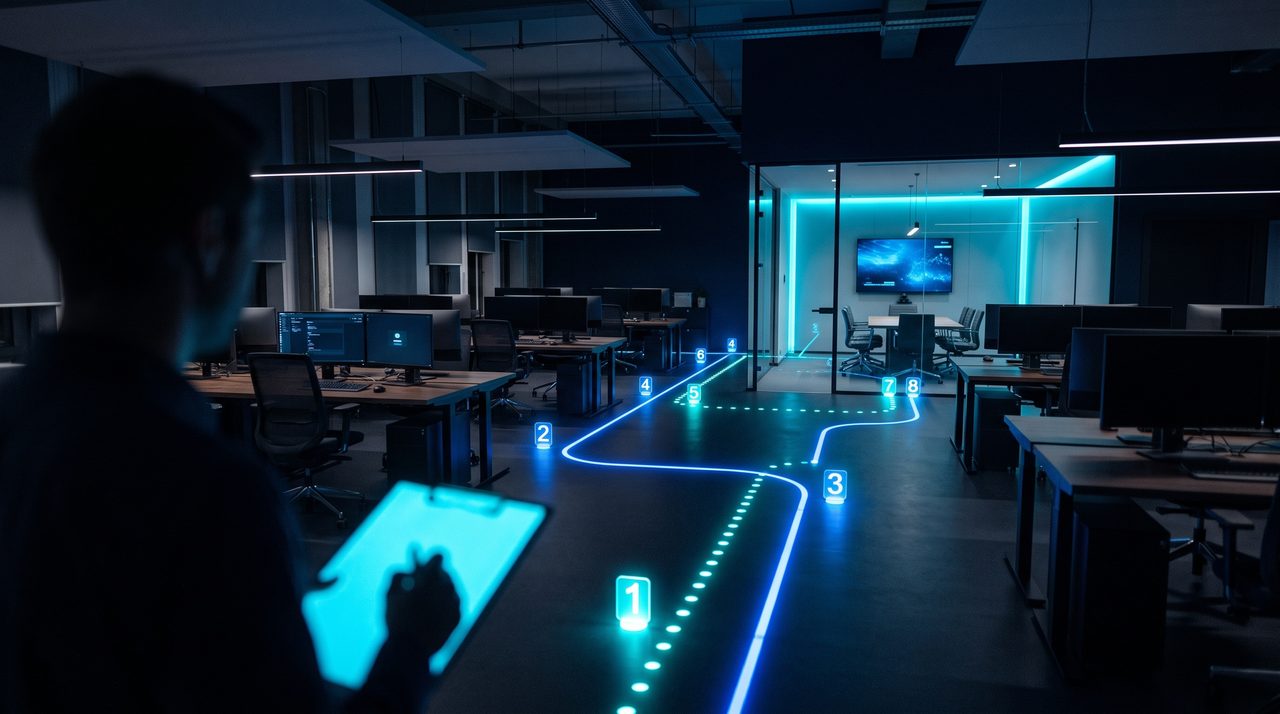
A structured shot list is the single most important document you can produce before an office virtual tour shoot. Industry benchmarks recommend capturing 25–40 panoramas for a mid-sized corporate office — yet without a proper brief, location checklist, and storyboard, production teams routinely revisit sites for costly reshoot days. This guide provides a complete, CSV-ready office virtual tour shot list template, a master location checklist, a storyboard framework, and technical capture standards, so your team can copy-paste directly into a spreadsheet and head to site with confidence.
What Is a Virtual Tour Shot List — and Why Does Every Office Production Need One?
A shot list for a virtual tour is a production-ready document that defines every 360° panorama, video insert, close-up, and hotspot target before a single frame is captured. Unlike a traditional video shot list, a virtual tour shot list must also specify nodal point height, HDR bracket settings, overlap percentage, audio requirements, and the downstream hotspot mapping that will drive navigation in the finished tour.
The recommended capture sequence for an office environment is: exterior → public areas → workspaces → restricted areas → rooftop or amenity spaces.
Virtual Tour Brief Template: Aligning Scope Before You Arrive On Site
A brief locks in scope, deliverables, timeline, and KPIs. Core fields include: project title and stakeholders, approval flow, shoot date and location, objectives and target audience, primary platform (website embed, Google Street View, LMS, mobile app), deliverables (25–40 panoramas, minimum 8K resolution, load time under 3 seconds on 4G), and technical specifications, timeline, permits, and budget.
Master Location Checklist for an Office Virtual Tour
Key locations include exterior and main entrance (Priority A), lobby and security desk (Priority A), reception desk (Priority A), open-plan workspace (Priority A), boardroom (Priority A), smaller meeting rooms (Priority B), pantry and amenities (Priority B), rooftop or outdoor space (Priority B), and server room or restricted areas (Priority C, requires written authorisation).
Concrete Shot List per Location: CSV-Ready Structure
Column headers: Shot ID | Location | Shot Type | Camera Position / Height | Orientation | Lighting | Movement | Hotspot Targets | Audio | Estimated Time | Priority. Complete one row per shot, assigning priorities A (mandatory), B (high value), or C (optional).
Storyboard for a Virtual Tour: Turning the Shot List into a Visual Flow
The storyboard defines the navigation experience — which panorama the viewer lands in first, where each hotspot leads, and what audio or on-screen text accompanies each scene. Example navigation flow: Building Façade → Reception → Open-Plan Workspace → Boardroom → Rooftop Terrace with contact CTA. Best practice: limit hotspots to 2–4 per scene to avoid navigation fatigue.
Technical Capture Guidelines
- Format: RAW + HDR brackets (3–5 exposures at ±1 to ±2 EV steps)
- Overlap: 30–50% between adjacent panoramas for clean stitching
- Nodal height: 1.6 m as standard eye-level reference
- Recommended 360° cameras: Ricoh Theta Z1, Insta360 Pro 2, or DSLR with fisheye lens on nodal rail
Ready to produce a professional 360° office virtual tour? InReality Solutions provides end-to-end virtual tour production. Contact our team to receive a draft shot list and storyboard template tailored to your office layout within three business days, or explore our virtual tour services for Indonesia.
Frequently Asked Questions
How many panoramas does an office virtual tour require?
Industry guidance recommends 25–40 panoramas for a mid-sized corporate office of 500–2,000 square metres. The exact number depends on the floorplan layout, the number of distinct rooms, and the navigation flow agreed in the storyboard. Larger open-plan floors typically require 3–5 nodal positions per zone, while compact offices with a linear layout can be covered efficiently with fewer shots.
Can a server room or restricted area be included in an office virtual tour?
Yes, restricted areas can be included with appropriate precautions. The shot list should flag these locations with a 'Restricted' tag, and the production team must obtain written authorisation from the building or IT security team before capture begins. In post-production, any visible labels, IP addresses, or sensitive equipment identifiers should be blurred.
How long does an office virtual tour production take from brief to delivery?
A typical office virtual tour of 25–35 panoramas follows this timeline: one to two weeks for pre-production (brief, location checklist, shot list, storyboard, permits), one day on site for capture, and approximately one week for post-production. Total elapsed time is generally three to four weeks.
What does an office virtual tour cost in Indonesia, and what is the ROI?
Project investment varies depending on scope, location, and platform, but an Indonesian corporate office tour with 25–35 panoramas, hotspot navigation, and a website embed is typically delivered within a mid-range production budget. ROI is typically measured through reduced recruitment costs, increased enquiry conversion rates, and lower costs compared with repeated physical site visits.
Why choose InReality Solutions for an office virtual tour in Indonesia?
InReality Solutions is a Jakarta-based specialist in 360° virtual tours with end-to-end capability: brief and shot list preparation, on-site capture, post-production stitching and colour grading, hotspot build, and hosting with analytics integration. Our team understands the specific logistical challenges of Indonesian corporate environments — from CBD tower security protocols to multilingual hotspot requirements.

Founder & Managing Director · LinkedIn
Ready to Build Your New Reality?
Tell us about your brand and goals — we'll show you what's possible.